 Voice2Fill · Chrome Extension
Fill web forms by speaking on your phone
In Tamil, English or Tanglish.
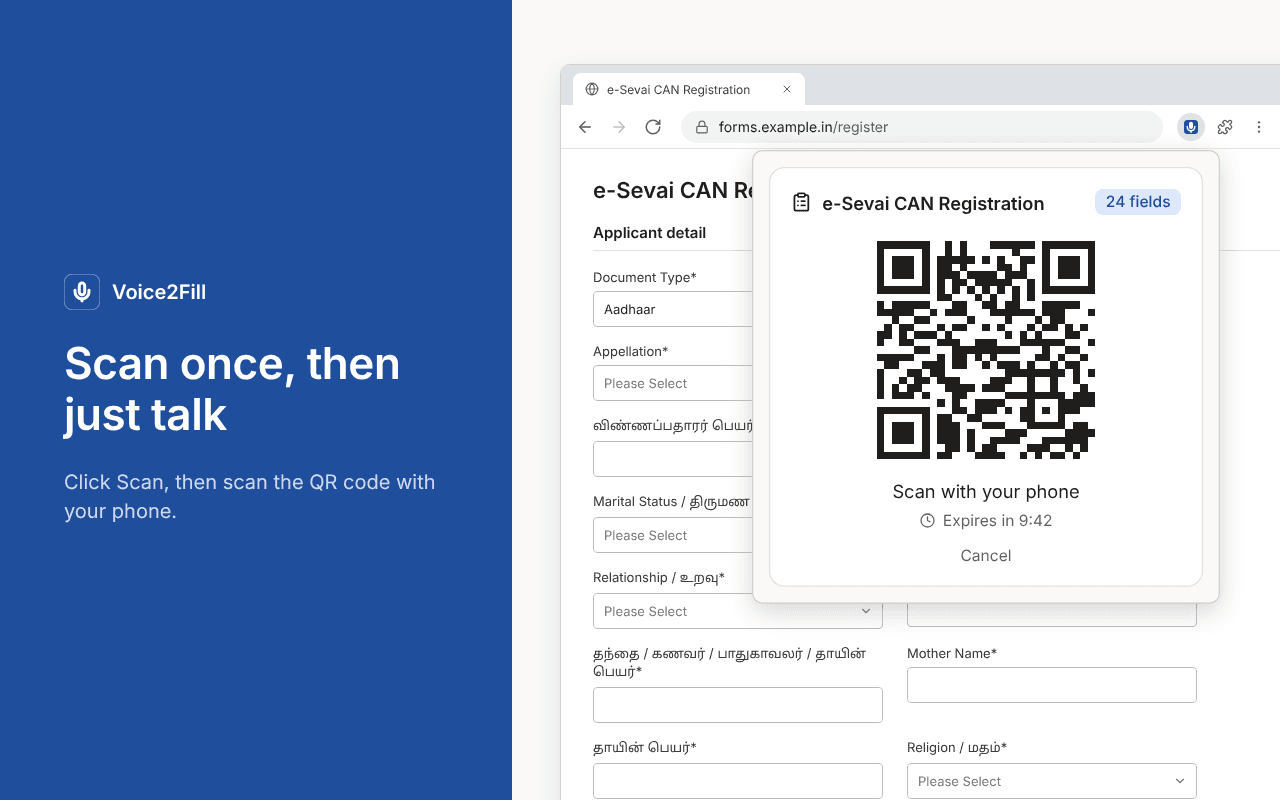
Voice2Fill reads the form on your computer and shows a QR code. Scan it with your phone, tap the mic and say the answers. They appear in the form on your computer as you speak. Photos and documents go in from your phone's camera, already resized to the site's rules.
No profiles to set up, no text to paste, nothing to type.
You need an account from your administrator (phone number and PIN) to sign in.
From form to filled in five steps
- 01
Scan the form
Open a web form, click the extension and choose “Scan form on this page”.
- 02
Scan the QR code
Scan the QR code with your phone. It opens in the phone's browser; there is no app to install.
- 03
Tap the mic and speak
“My name is Saurav, phone 98765 43210, district Salem.”
- 04
Press “Fill form” once
After that, new answers fill the page automatically and each changed field is highlighted.
- 05
Check and submit
Check the form and submit it yourself. Undo puts the page back the way it was.
No special phrases. Just say it.
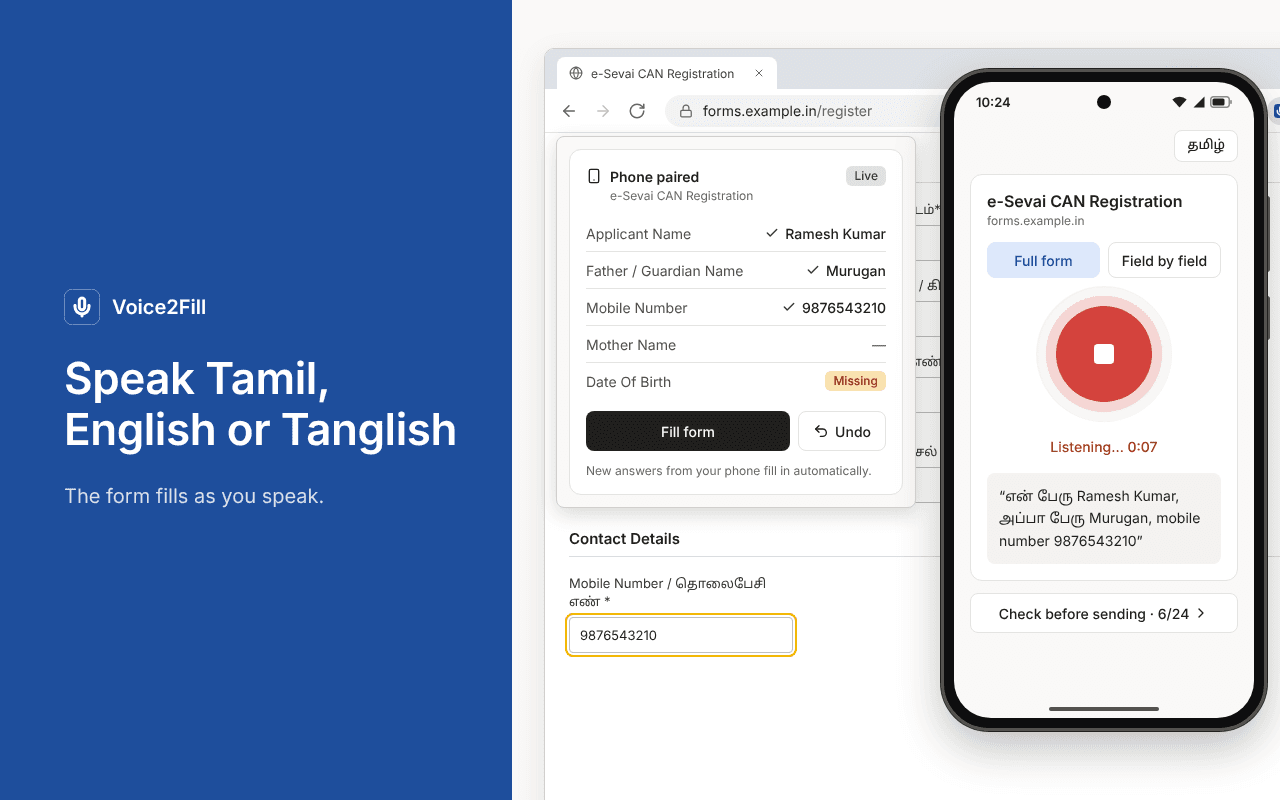
Tamil, English or Tanglish, even mixed in one sentence.
“en peru Saurav, ooru Chennai”Say numbers in pieces.
“nine eight seven six…”“98765 – 43210”Spell names letter by letter, including Tamil letter names.
“S A U R A V → Saurav”Correct yourself naturally.
“no, not Sourav, Saurav”“the last digit is 5”“pincode la 455 illa 445”Voice commands.
“start over”“send it”“what is left?”Speak as long as you need. Long answers are split and joined again, so nothing is lost.
Values are filled in English, even when you speak Tamil.
Handles the forms people actually have to fill
Dependent dropdowns
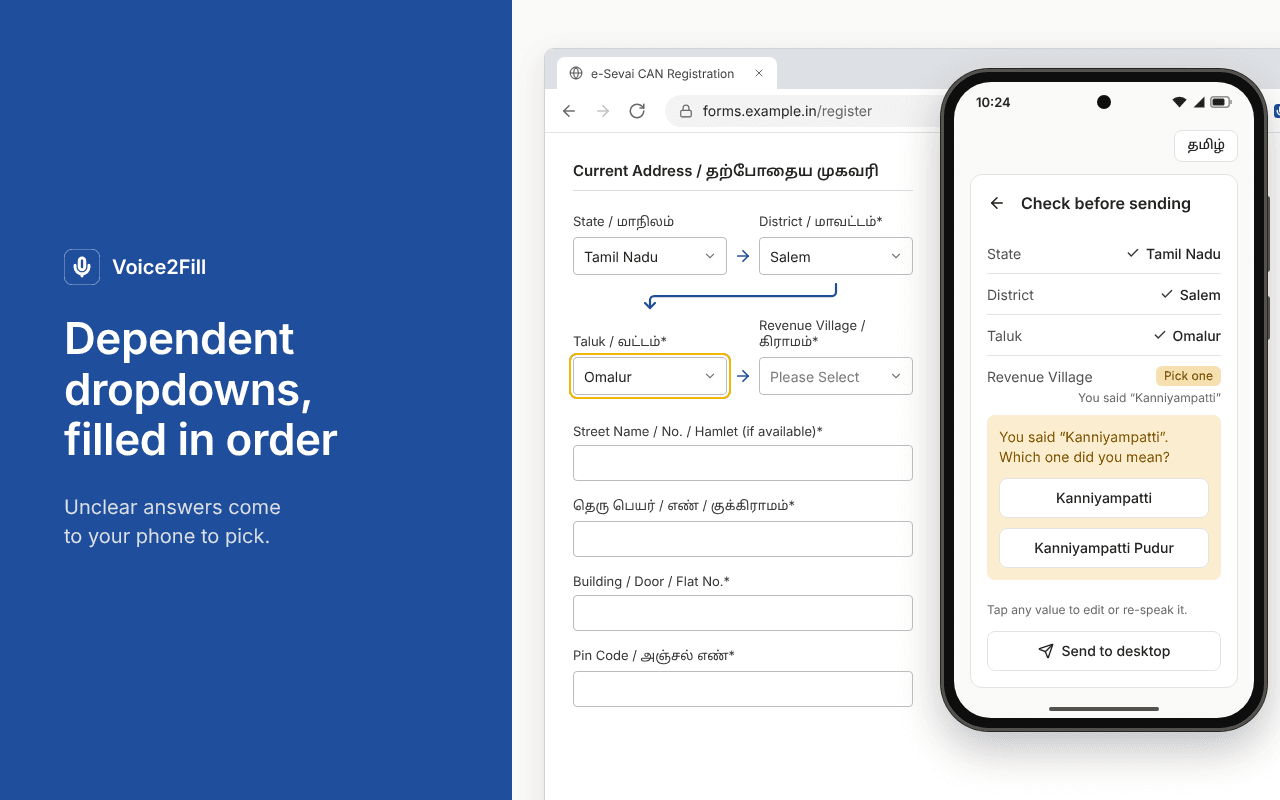
State → District → Taluk → Village. It waits for each list to load and picks the option you said.
Spelling variants
“Omaloor” or “Omalur”, Tamil script or short forms. Unclear matches go to your phone as “Did you mean…?” buttons and are never guessed silently.
Custom dropdowns
react-select, MUI, choices.js, select2 and standard accessible comboboxes.
React, Vue, Angular & HTML
Values are entered the way a person types, so the site's own checks still run.
Multi-step forms
Fields that appear on step 2, or after ticking “Other”, show up on your phone right away.
Frames & shadow DOM
Forms inside frames and shadow DOM on the same site.
Uploads that already fit the site's rules
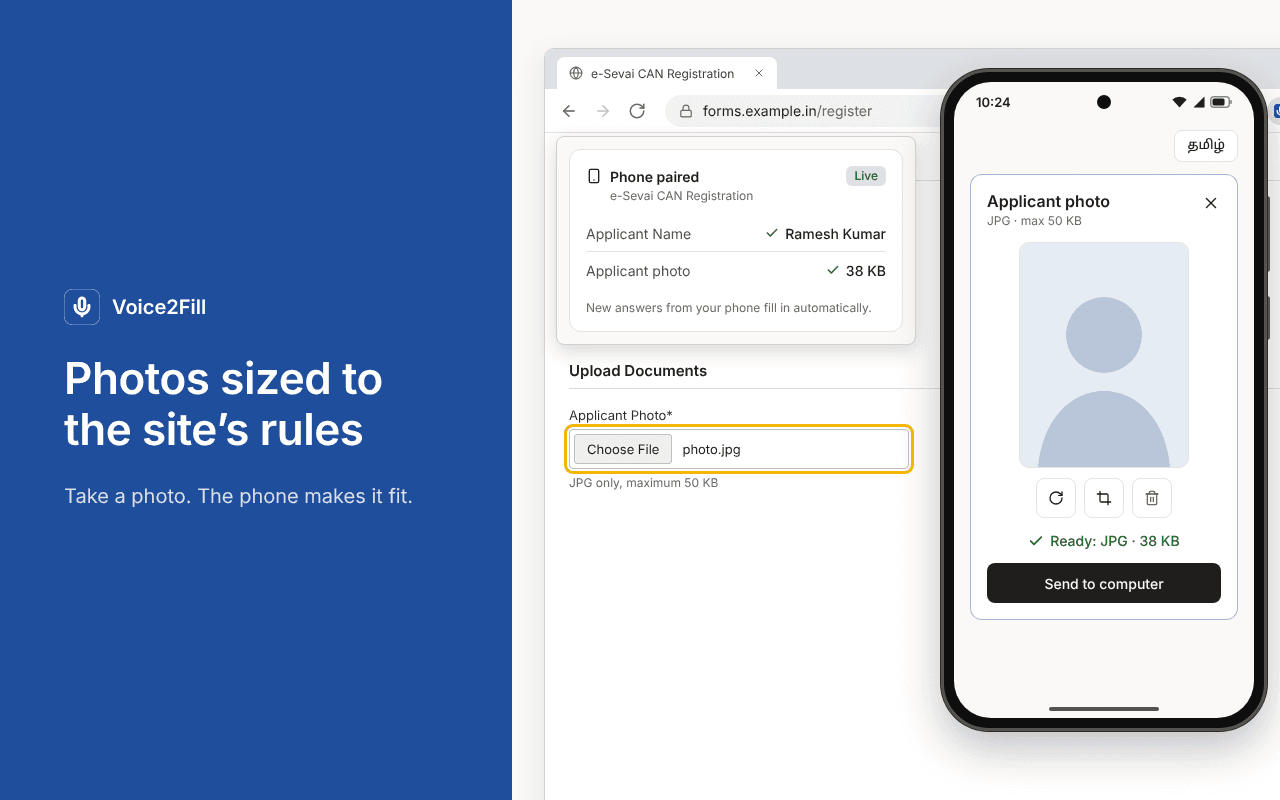
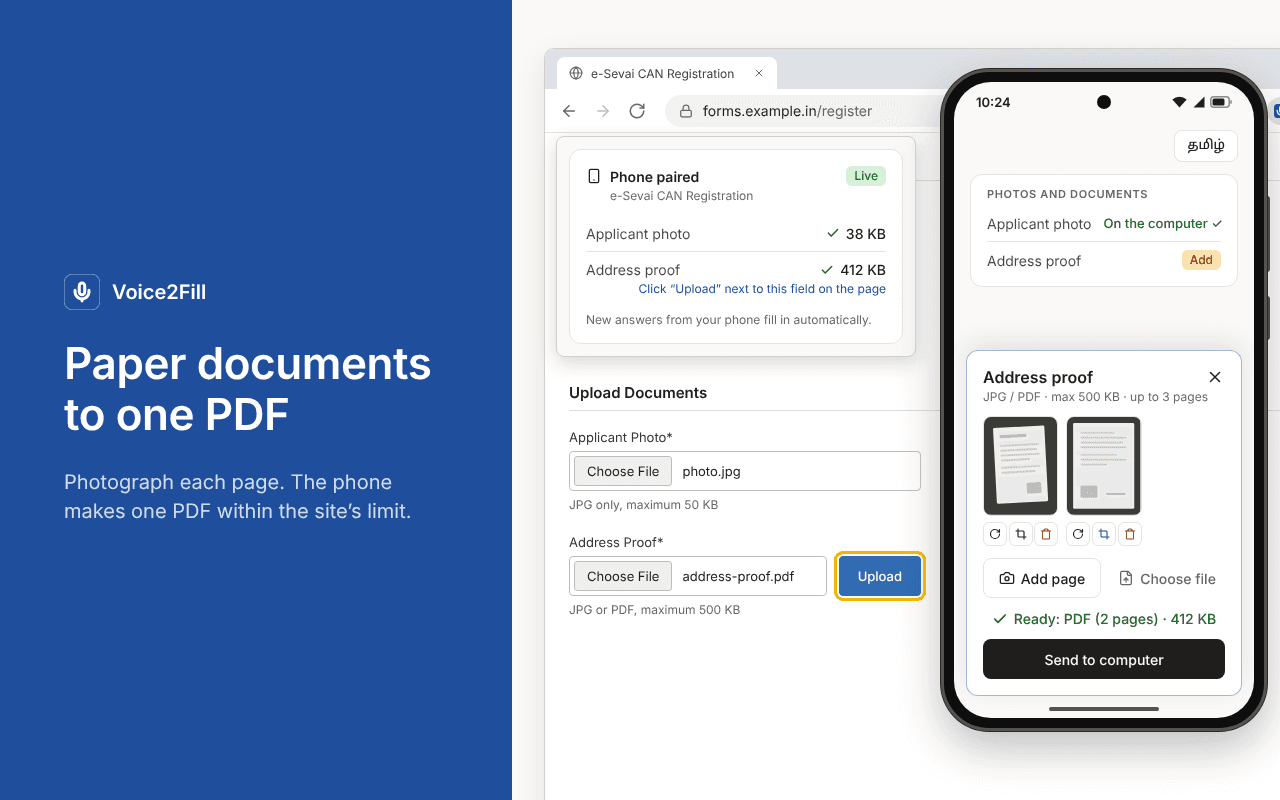
Upload fields are filled from the phone's camera, not by voice.
- The extension reads the site's rules (“JPG only, below 50 KB”, exact pixel size, page limits).
- Take a photo or choose a file, then rotate, crop or add more pages.
- Your phone converts it to fit: a compressed JPG, or several photos combined into one A4 PDF.
- The file goes into the website's own upload field, so the site checks it normally. If the site rejects it, your phone tells you why.
- Location and camera details (EXIF/GPS) are removed from photos.
Up to 5 tabs, 5 phones
- Fill up to 5 forms at once, one per browser tab, each with its own QR code and phone.
- The popup always shows the form in the tab you opened it on.
- “Start over” clears the answers for the next applicant on the same QR code, useful at service centres and help desks.
தமிழ் or English, your choice
- Switch the whole phone screen between தமிழ் and English.
- Field labels show both: “தந்தை பெயர் · Father's name”.
- Clear messages for a blocked microphone, a lost connection, an expired QR code and required fields still empty.
Made for people who fill forms all day
Your answers are used to fill your form, and nothing else
- Voice is sent for transcription and is not stored.
- Spoken answers and their text are deleted automatically within about an hour.
- Form session records (page address and field labels) are deleted after 30 days.
- Uploaded photos and PDFs are stored privately and deleted as soon as the computer receives them, or when the tab closes.
- QR codes work once and expire after 10 minutes. A phone link lasts 30 minutes.
- The extension never submits a form for you. You review and submit.
- Your data is not sold, not used for advertising and not used for anything except filling your form.
Read the full privacy policy.
- An account from your administrator (phone number and PIN)
- A phone with a browser and a microphone
- Chrome on the computer with the form
- Upload fields inside another website's embedded frame
- Saving your details to reuse on future forms

Stop typing. Start speaking.
Request an account and we'll contact you within 2 working days with your sign-in. Questions first? Get in touch.